
Meta Ads Not Working? How to Find the Cause and Fix It

Meta ads that are “not working” fall into two different problems, and the fix for one makes the other worse. Either the ads are not delivering (no impressions, no spend), or they are delivering but not producing calls, forms or sales. Read the Delivery column first, then billing, then tracking, then the page the ad sends people to. Fixing in that order is how you stop burning budget on guesses. If you would rather have one team do the diagnosis and the repair, our Meta ads management starts from exactly this checklist.
TL;DR
- Zero impressions and zero spend means a delivery problem: review status, billing, account restrictions, budget or audience size.
- Impressions and spend but no leads means a results problem: tracking, the offer, the landing page or the targeting.
- Do not raise the budget before you know where delivery stops, and change one thing at a time.
- Most ads clear review within 24 hours, so a short wait is normal. Longer than that, check the status and escalate.
- A one-off audit (from $299) is the quickest way to find the failing layer if you cannot find it yourself.
Table of Contents
- First, work out which problem you have
- Ads not delivering: the checks, in order
- Ads delivering but not producing leads
- How to fix it without making it worse
- What a small business should realistically expect
- Let us find the cause for you
- FAQ
- Sources
First, work out which problem you have
Open Ads Manager and look at three numbers for the last 7 days: impressions, amount spent and results (calls, form fills, purchases).
| What you see | What it means | Where to look |
|---|---|---|
| No impressions, no spend, status Active | Delivery problem | Delivery column, billing, Account Quality, budget, audience |
| Impressions and spend, no results | Results problem | Pixel and Conversions API, landing page, offer |
| Results, but too expensive | Efficiency problem | Creative, audience overlap, too many ad sets |
| Spend stopped suddenly | Account or billing event | Activity History, payment method, spending limit |
This split matters because the two problems have nothing in common. A local plumber whose ads show 12,000 impressions and no calls does not need a bigger budget. A clinic whose ads show zero impressions does not need new creative. Start with the symptom, not a setting.
Check the basics before you diagnose anything: you are looking at the right ad account, the date range includes the period you care about, and no filter is hiding campaigns. It sounds obvious, and it is the cause more often than people admit.
Ads not delivering: the checks, in order
1. Read the Delivery column
At campaign, ad set and ad level, Ads Manager shows a delivery status. A campaign can read Active while one ad set inside it is in review, rejected or switched off. Look at all three levels, and read the actual label rather than only the green or red dot.
Common labels and what they mean:
- In review: Meta checks ads against its advertising policies before they run. Most ads are reviewed within 24 hours, though some take longer, and ads can be reviewed again after they go live.
- Rejected: the ad will not run until you edit it to comply or appeal.
- Scheduled: the start date is in the future.
- Learning Limited: the ad set is delivering but is unlikely to get enough results to optimise well (more on this below).
- Account spending limit reached or payment issue: every ad pauses, whatever the campaign budgets say.
If the ad has been in review for more than a couple of days, that is when you contact Meta through the Business Help Centre, with your Account ID and the Ad ID ready.
2. Billing and spending limits
Billing failures are the most common silent cause. The card has expired, a payment was declined, there is an outstanding balance, or the payment method needs verification. An account spending limit, once reached, pauses all active ads even when individual campaigns have budget left, and the warning is easy to miss.
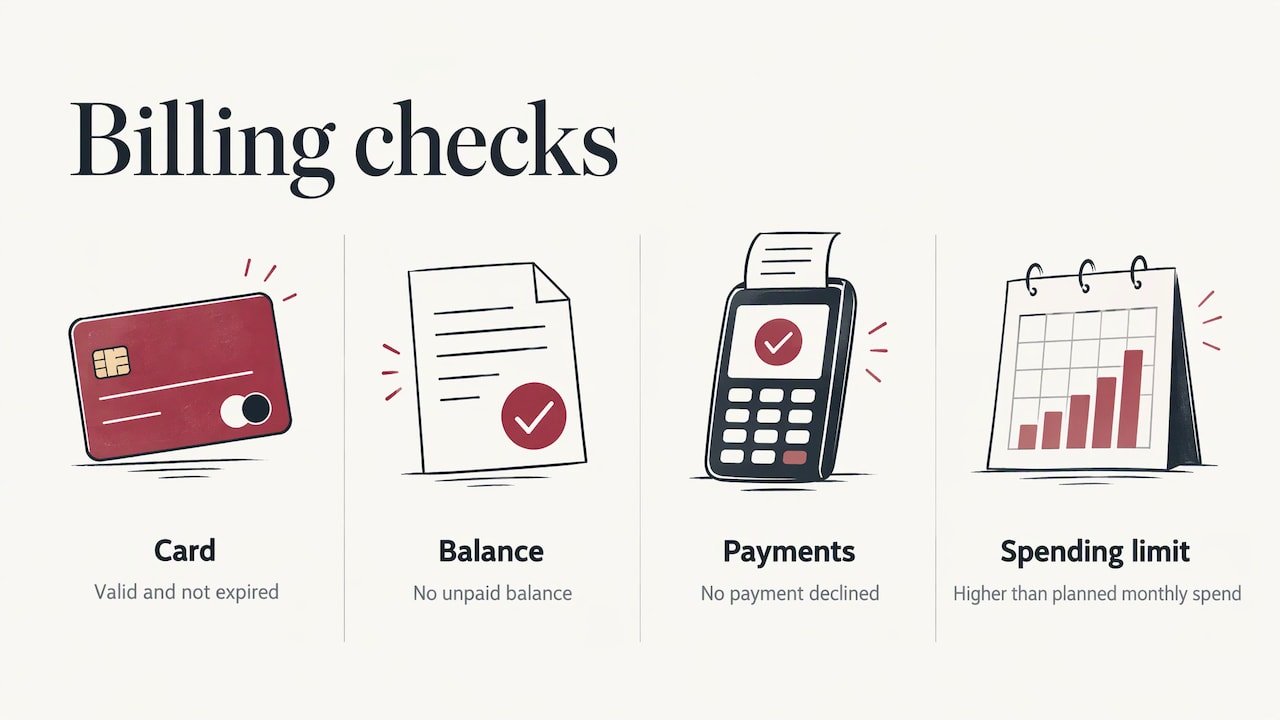
Open Billings and payments in Business Settings and check four things: the card is valid and not expired, there is no unpaid balance, no payment is declined, and the account spending limit is higher than your planned spend for the month.
3. Account Quality and restrictions
Meta’s Account Quality screen (now reached through Business Support Home) shows restrictions, verification requests and appeal options. A real notice there tells you which gate is closed. Only an admin of the restricted asset can request a review.
Two practical points. First, a restriction review typically takes around 48 hours, so plan your calendar around that. Second, while a review is open, resist the urge to add payment methods, swap creative or resubmit. Each change can restart the clock. Wait, then act on the outcome.
4. Budget, bids and schedule
A budget that is too low cannot win auctions in a competitive market. If you use a cost cap or a bid cap, Meta’s guidance is that the daily budget should be well above the cap (a commonly cited rule is at least five times the cost-per-result cap). A cap set too tight tells the system to spend only when it is confident it can hit your number, so it may barely spend at all. If the status reads bid limited, raise or remove the cap.
Also confirm the start date is not in the future, the end date has not passed, and no automated rule has switched the ad off. Activity History lists every edit with a timestamp. If delivery stopped right after a change, you have found your suspect.
5. Audience size and targeting
An audience that is too narrow may prevent delivery. Meta publishes no fixed minimum, but very small audiences, particularly those under roughly 50,000 to 100,000 people, tend to produce Learning Limited status, high CPMs (cost per thousand impressions) and patchy delivery.
This is the trap for local businesses. A 5 km radius around an Oakville clinic, layered with three interest filters, can shrink to a pool too small to optimise. Widen the radius to include nearby Burlington or Mississauga, or drop one interest layer, and let the creative and your offer do the filtering.
Two policy details are worth knowing:
- Ads in special ad categories (housing, employment, credit, social issues) face restricted targeting, which shrinks the audience further.
- Since 2 September 2025, Meta flags custom audiences and conversions that suggest specific health conditions or financial status, and these can no longer be used to run campaigns. Clinics building audiences around a condition should build them around the service and location instead.
6. Placements and format
If your creative does not fit the placement, it may not run there or may look cropped. Story and Reels placements need a vertical 9:16 format (1080 x 1920 pixels is the usual recommendation). A square image forced into a Story looks like an afterthought. Use the placement preview before publishing.
Ads delivering but not producing leads
This is the more expensive problem, because money is leaving every day. Work through it in this order.
Is tracking telling the truth?
Impressions with no conversions is often a measurement problem before it is a performance problem. If the Meta Pixel or Conversions API (a server-side connection that sends events to Meta even when browsers block the pixel) is broken, double-counting or missing contact details, Meta cannot find more people like your customers. You do not see an error. You see rising CPMs and falling returns.
Test it:
- Open Events Manager and confirm your key event (Lead, Contact, Purchase) is firing once per action.
- Check the event match quality score. A score under about 6 out of 10 means Meta is getting too little customer data (email, phone, external ID) to match events to people. Complete first-party data typically lifts it well above that.
- Submit a test form or call yourself and watch the event arrive.
- For phone-led businesses, confirm calls and click-to-call taps are tracked as conversions at all.
Trades and clinics are hit hardest here, because the real conversion is often a phone call or a booking made by text, which a default pixel never sees. Our Meta Pixel and Conversions API setup starts from $299 as a one-off job.
Does the page keep the promise of the ad?
The most common post-click failure is a broken promise. The ad offers a free quote or a specific discount, and the click lands on a generic homepage. The visitor leaves in seconds because they cannot find what they came for.
Check on your phone, on mobile data, not on office wifi:
- Does the page load in a few seconds?
- Does the headline match the ad word for word, offer included?
- Is there one obvious action (call, book, request a quote) above the fold?
- Does the form work, and does it send you the lead?
About that last point: a surprising number of “dead” campaigns are working fine, and the enquiry is landing in a spam folder or an unmonitored inbox. If form emails are not arriving, fix deliverability before you touch the ads.
Is the offer worth clicking?
Meta shows your ad to people who were not looking for you. That is the key difference from search. Someone scrolling past at 9 pm has to be stopped by something concrete: a price, a time-limited seasonal offer, a clear before and after, a local name they trust. “Quality service you can count on” stops no one.
For a Hamilton roofer, a better message is a specific one: free storm-damage inspection, booked within 48 hours, with a photo report. For a retailer, it is the product, the price and the delivery promise in the first line.
Is the account fragmented?
An ad set needs around 50 optimisation events in the week after its last significant edit to leave the learning phase. Splitting a small budget across six ad sets means none of them gets there. Every ad set sits in Learning Limited, and results look random.
For most small accounts the fix is boring: fewer campaigns, fewer ad sets, a budget large enough that each one can collect conversions, and a conversion event that happens often enough to learn from. If you optimise for purchases and get three a month, optimise for a higher-volume step such as leads or add-to-carts until volume builds.
How to fix it without making it worse
The discipline matters as much as the diagnosis.
- Find the failing layer first. Is it the ad, the audience, the offer or the page? Do not touch live settings until you can say which.
- Change one thing at a time. Several simultaneous edits reset learning and make it impossible to know what worked. Leave at least a day or two before judging.
- Rank fixes by impact. Broken tracking and a mismatched landing page move results. Tweaking button text does not.
- Do not raise the budget to fix a delivery problem. More money into a closed gate does nothing.
- Keep a log. Write down the date, the change and the result. Activity History records edits, but not your reasoning.
- Escalate last. Contact Meta support once you have isolated the layer, with the Account ID, Ad ID, screenshots and the exact steps that reproduce the problem.
A useful rule of thumb for a sensible test window: give a stable ad set at least a week of data, or enough to collect around 50 results, before you decide it has failed. Judging after one day punishes ads that were still learning.
What a small business should realistically expect
Meta ads can work very well for local services, but they behave differently from search ads. Search captures people already looking for a plumber. Meta creates the interest, so it depends more on the creative, the offer and the follow-up speed. A lead that waits a day for a call-back is usually gone. That is why measurement, speed of response and a clean landing page matter as much as the ad itself.
If your results are patchy, do not assume the platform is broken. In most accounts we look at, the cause is one of the layers above, and it is fixable.
Our view: fix the whole chain, not just the ad
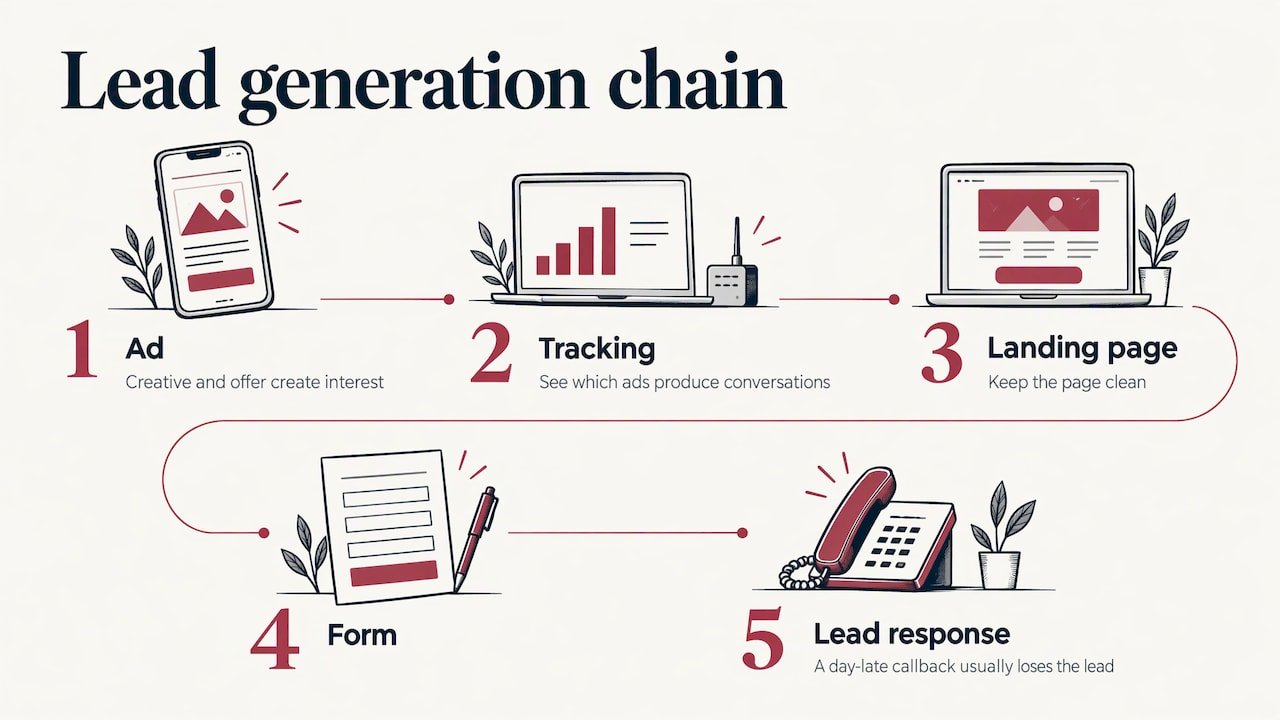
Most advice on this topic stops at the Ads Manager screen. But a Meta campaign is a chain: the ad, the tracking, the landing page, the form, and whoever answers the lead. A break anywhere looks like “the ads don’t work.”
That is why we deliver websites, ad management, tracking and lead handling in-house, with one team instead of subcontractors passing a problem between them. When the pixel, the page and the campaign are built by the same people, nobody can say the issue is someone else’s department.
We also care about immediate results: calls and enquiries, not long-term promises. Every client gets UPMYCRM, which consolidates leads and communications in one place, so you can see which ads produce real conversations and which only produce clicks.
the author
Let us find the cause for you
If you have been through the list and the ads still are not producing, the quickest route is a second pair of eyes on the account. Our Google or Meta ads account audit starts from $299 as a one-off fee, and our Social Ads management for Facebook and Instagram starts from $399 per month. Both come from the same in-house team that builds websites and tracking for small businesses in Burlington, Oakville, Hamilton and across Canada.
If the problem turns out to be the site rather than the ads, the same team can handle speed optimization, tracking and fixes without handing you to another provider.
FAQ
Why does my Meta ad say Active but spend nothing?
The campaign can be on while an ad set or ad underneath is in review, rejected, scheduled or switched off. Check the Delivery column at all three levels, then billing and the account spending limit. If everything is clean, look at budget against any cost cap, and at audience size.
How long does Meta take to review an ad?
Meta says most ads are reviewed within 24 hours, though some take longer. Edits to targeting, creative or optimisation settings on a running ad can send it back into review. Changes to budget, bid or schedule do not.
Why do I get clicks but no calls or leads?
Check tracking first: confirm the pixel and Conversions API record the lead or call event. Then compare the landing page with the ad. If the offer, headline or form does not match what the ad promised, visitors leave, and the click was wasted.
Should I increase my budget when ads are not working?
Not until you know where the problem is. If delivery is blocked by billing, a restriction or a rejected ad, more budget changes nothing. If results are poor because of tracking or the landing page, it only spends more money on the same weakness.
When should I contact Meta support?
When an ad has been in review for more than about 48 hours, or when an Account Quality restriction does not resolve through a review request. Have the Account ID, Ad IDs, screenshots and the steps that reproduce the problem ready.
Sources
- About Ads “In Review” (Meta Business Help Centre)
- Facebook ads not spending or not delivering? (2026)