If you want to test your website for accessibility problems, start with an automated scan using a tool like WAVE or Google Lighthouse. Then compare the results against WCAG 2.1 Level AA standards, the benchmark most Canadian laws point to. Follow that scan with a manual check: tab through every page using only a keyboard, then listen to it with a screen reader before fixing issues in order of impact. Clear website accessibility guidelines protect your Burlington or Southern Ontario business from legal complaints and open your site to more customers. Many Canadian business sites unintentionally shut out shoppers who rely on screen readers, voice controls, or keyboard-only browsing, often without the owner ever realizing it.
This guide walks through what these guidelines actually require, why federal and Ontario law make accessibility non-negotiable, and how to put fixes in place step by step. You’ll learn the WCAG framework behind website accessibility guidelines, see why compliance carries real stakes for small business owners, and get a practical audit-to-launch roadmap for any budget. UPMYSITE, a Burlington-based digital marketing studio, has watched accessibility move from a nice-to-have to a standard expectation for Canadian websites. Keep reading to find your starting point.
Key Takeaways
WCAG 2.1 Level AA is the practical benchmark most Canadian businesses should aim for when building or updating a website.
The Accessible Canada Act and Ontario’s AODA turn website accessibility guidelines into a legal matter, not just good manners.
Small, progressive fixes such as alt text, colour contrast, and keyboard-only access deliver fast, visible wins.
Accessibility needs regular audits and ongoing upkeep, since new content can quietly introduce new barriers.
What Are Website Accessibility Guidelines?
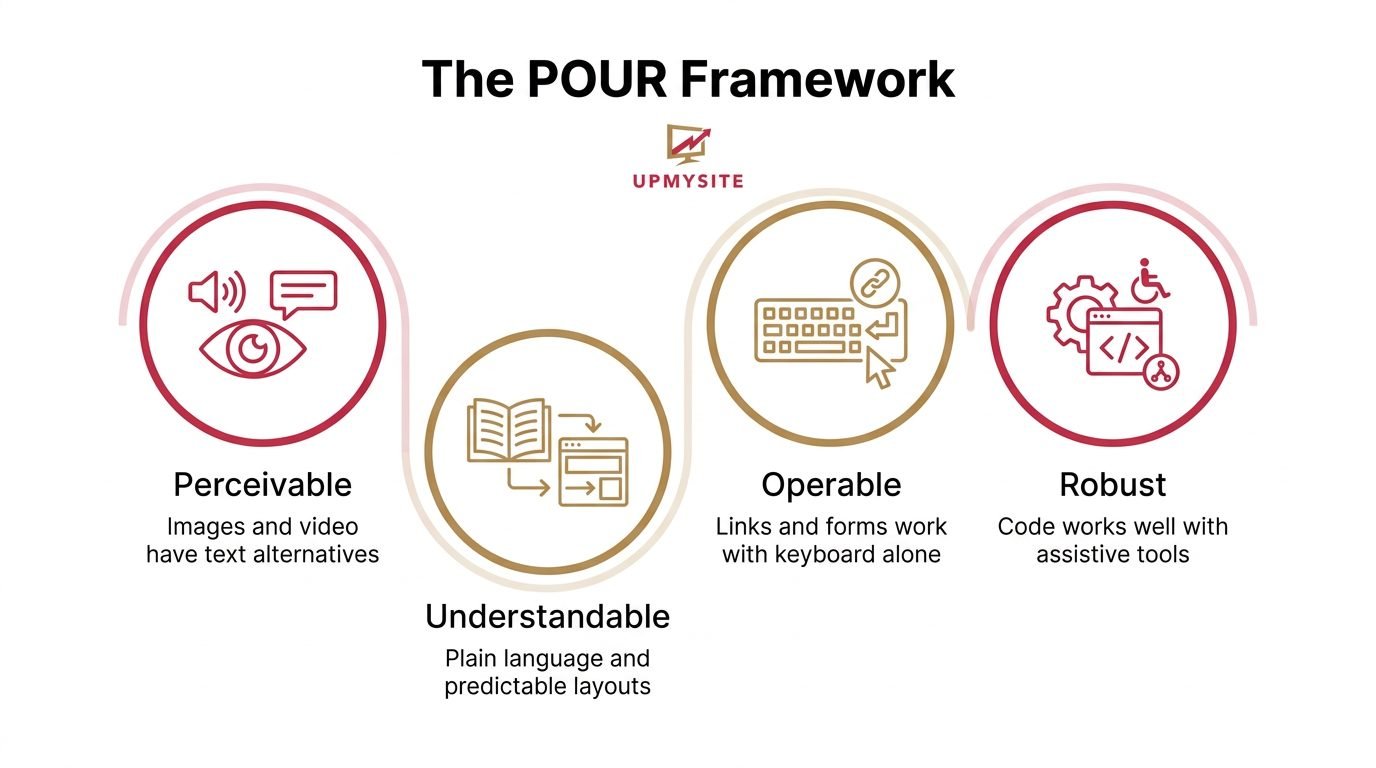
Website accessibility guidelines are the technical rules that define how to test and fix a website so people with disabilities can use it without barriers. The most recognized set comes from the Web Content Accessibility Guidelines (WCAG), built by the World Wide Web Consortium (W3C) around four principles known by the acronym POUR:
Perceivable content such as images and video includes text alternatives a screen reader can announce.
Operable every link, button, and form works with a keyboard alone.
Understandable plain language and predictable layouts guide visitors through a page.
Robust code works well with assistive tools, now and as those tools change.
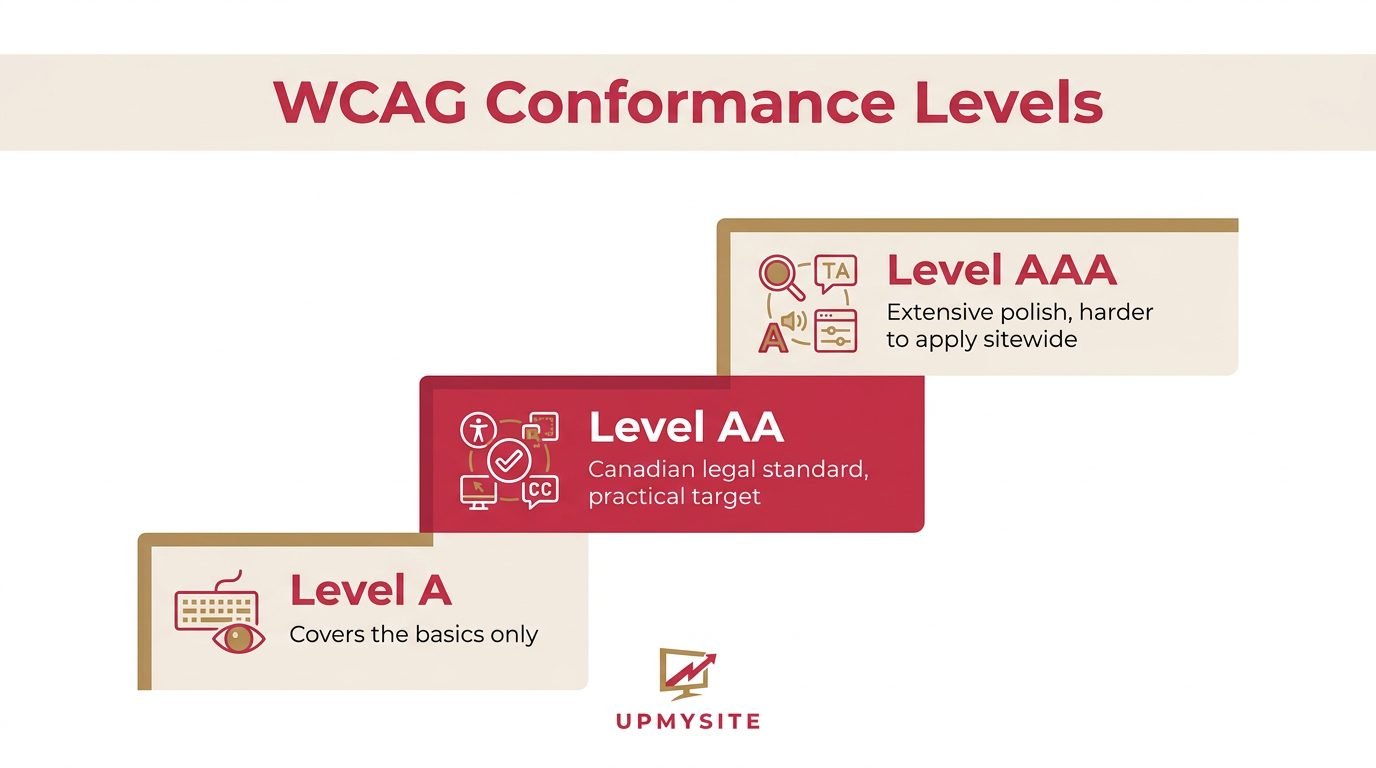
WCAG sets three conformance levels, A, AA, and AAA, each adding stricter requirements on top of the last. Level A covers only the basics, while Level AAA asks for a degree of polish that’s hard to apply across an entire site. Level AA sits in the middle and is the standard referenced by Canadian law and most accessibility audits. For that reason, it’s the target most small business websites across Ontario should work toward.
Why Do Canadian Businesses Need to Follow These Guidelines?
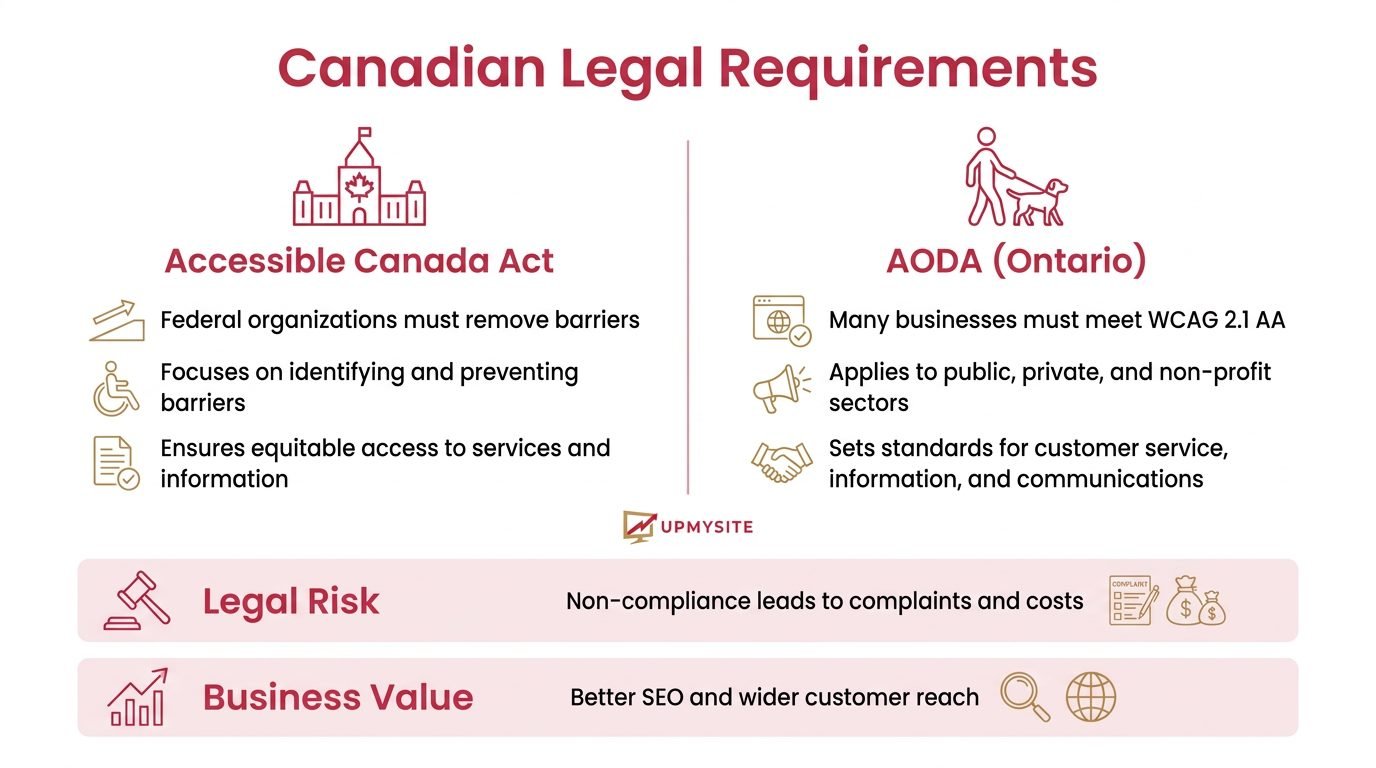
Canadian businesses need to follow website accessibility guidelines because federal and provincial law increasingly treat accessible design as a right, not a favour. The Accessible Canada Act pushes federally regulated organizations to remove barriers, while Ontario’s Accessibility for Ontarians with Disabilities Act (AODA) expects many businesses to meet WCAG 2.1 Level AA on their websites. Ignoring these standards can lead to human rights complaints, legal costs, and public reputation damage that’s hard to undo.
Beyond the legal side, accessible design simply makes good business sense for entrepreneurs in Burlington and across Southern Ontario. A site built around clean code and clear structure tends to rank better in search results, since search engines read the same semantic markup that screen readers depend on. It also reaches a wider pool of customers, including older shoppers, mobile users, and the millions of Canadians who live with some form of disability.
How Do You Implement Website Accessibility Step by Step?
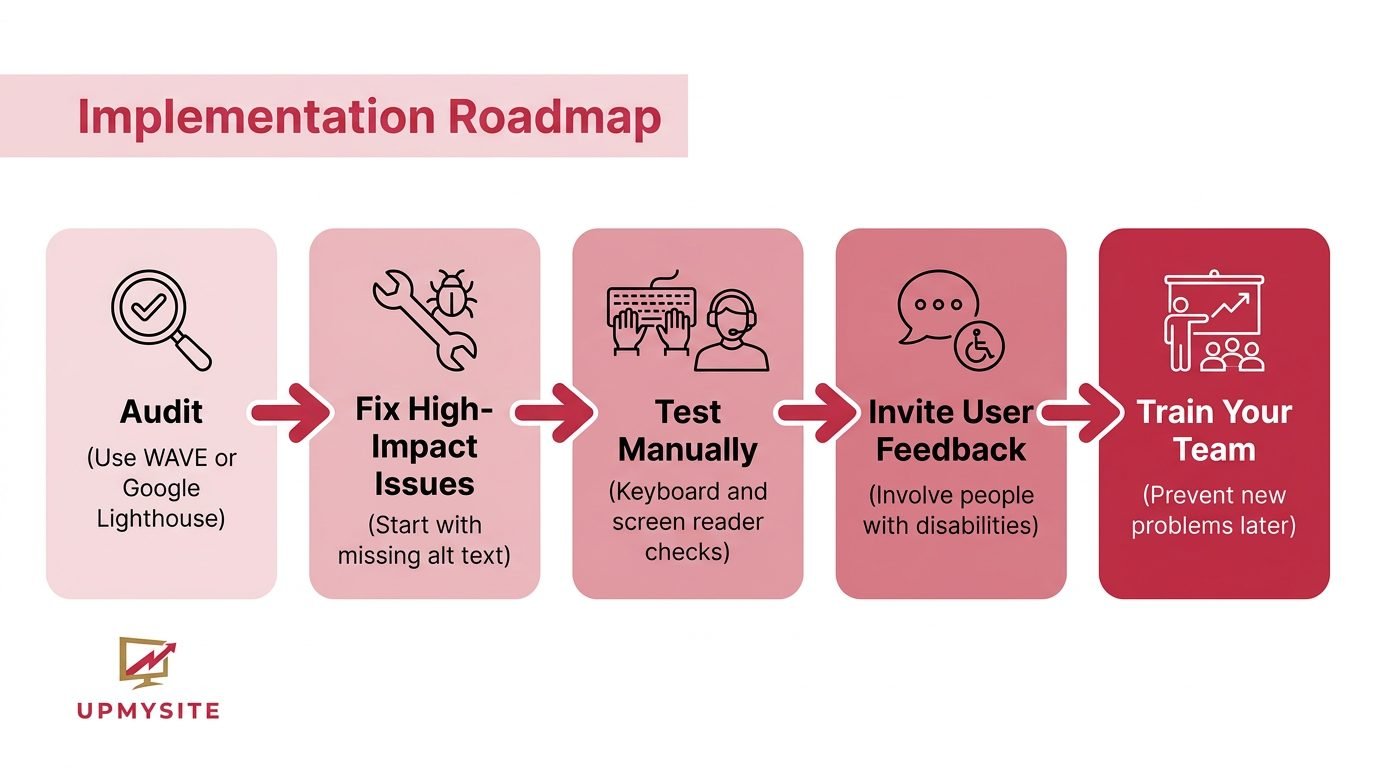
You implement website accessibility guidelines by fixing the barriers that affect the most visitors first, then working through the rest in order of impact. Start by adding descriptive alt text to product photos, checking that body text meets a 4.5:1 colour contrast ratio, and confirming every menu and form works using only the Tab and Enter keys. Readable fonts, a clear heading structure (H1 for the page title, H2 and H3 for sections below it), and well-labelled forms round out the fixes that cover most day-to-day barriers.
Treat the work as an ongoing cycle rather than a single project, since new pages and features can quietly bring in fresh problems. Automated scans catch plenty, but they typically flag only a portion of real-world issues, so manual checks still matter. The steps below give a simple order to follow.
Audit your current site with WAVE, Axe, or Google Lighthouse to flag common problems such as missing labels or poor contrast.
Fix the highest-impact issues first, starting with missing alt text on product images, since this affects the widest range of shoppers.
Test manually with a keyboard and a screen reader such as NVDA or VoiceOver to catch what automated scans miss.
Invite people with disabilities to try your site, since their feedback often reveals barriers nobody else notices.
Train your content team so new pages and posts don’t quietly reintroduce the same problems later.
How UPMYSITE Can Help You Build an Accessible Website
UPMYSITE builds every website rather than starting from a locked template, which makes it easier to apply website accessibility guidelines that fit your specific pages, products, and customers. Because the Burlington-based team works directly with clients instead of through an offshore pipeline, accessibility needs get discussed early and adjusted as a site grows, backed by month-on-month maintenance instead of a one-time handoff.
Once a site is live, transparent reporting through Google Analytics GA4 and SEMrush gives business owners a clear view of how visitors use their site and where new accessibility gaps might appear after an update. The flexible, no-contract service model means you can add an accessibility review, fix a batch of issues, or scale support up as needs change, without locking into a long agreement.
The Takeaway
Website accessibility guidelines aren’t optional extras for Canadian businesses anymore, they’re a legal expectation and a genuine growth opportunity in one. Start small, fix the highest-impact barriers first, and build regular audits into your maintenance routine so new problems don’t creep in over time. If you’d rather not manage this alone, a discovery call with UPMYSITE’s Burlington team offers a straightforward second opinion on your site.
Frequently Asked Questions
What Is the Difference Between WCAG 2.1 and WCAG 2.2?
WCAG 2.2 adds new success criteria on top of WCAG 2.1, covering things like larger touch targets and clearer focus indicators for keyboard users. WCAG 2.1 remains the version most Canadian laws and audits reference today, so it’s still the safest baseline for most small business websites.
Do Small Businesses Legally Need to Follow AODA Website Requirements?
AODA applies broadly across Ontario, though formal public reporting duties mostly target larger organizations with more employees. Smaller businesses aren’t always required to file compliance reports, but following WCAG 2.1 Level AA anyway lowers legal risk and widens your customer reach regardless of your size.
How Much Does It Cost to Make a Website Accessible?
Costs depend heavily on your site’s current condition and how many pages need fixes before they meet accepted standards. Many businesses start with low-cost wins like alt text and colour contrast adjustments, then budget for deeper fixes such as form and keyboard access changes over time.
How Often Should I Audit My Website for Accessibility?
Plan a full audit at least once a year, plus a quick check after any redesign or major content update. Pairing automated tools like WAVE or Lighthouse with occasional manual and user testing gives the most reliable picture of your site’s ongoing accessibility health.